


01
Rotas volunteers can manage themselves
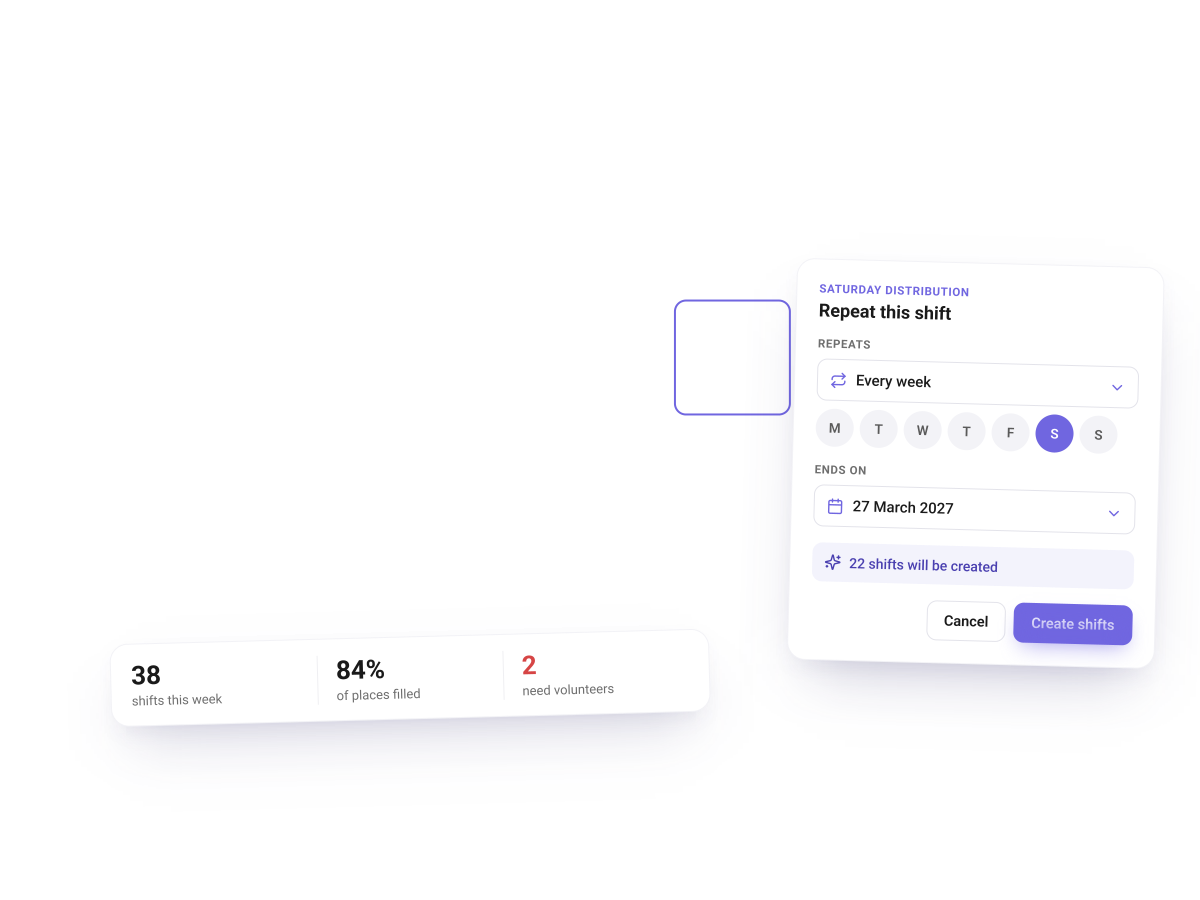
Paper rotas pinned in the back room are hard to keep up to date and impossible to see from head office. With Volunteero scheduling, each shop sets up its shifts once, as a recurring series, and volunteers claim, swap or leave shifts in the app within the rules you set.
A calendar view shows gaps in cover at a glance
Shifts can be limited to the volunteers in that shop’s group
Automatic reminders before each shift help reduce no-shows
When Keech Hospice brought Volunteero into its shops, Castle Road’s manager had all of her shifts set up and ready to be claimed within a day of training. Volunteers who were unsure at first were supported with drop-in sessions, and many found they could join and leave shifts on their own once signed in.



02
Recruit and onboard shop volunteers in days, not weeks
Shop managers should not have to chase references or post application forms. Volunteero centralises recruitment: roles are published to your website and the Volunteero search board, applications arrive in one place, and references are requested and followed up automatically.
At Keech Hospice, which has over 1,000 retail volunteers across 38 shops, onboarding used to take four to six weeks. With applications and background checks completed online, new volunteers can now start in less than two weeks. At the Castle Road shop, nearly half of its 28 active volunteers were recruited through Volunteero. As the shop manager put it, by the time an application reaches her, the references have often already been returned.
03
Check-in and hours for every branch
Knowing who volunteered, where and for how long is essential for impact reporting, yet it is often the first thing to slip in a busy shop. Volunteers check in and out in the app, or you can require QR code check-in. Kiosk mode turns any device, even a manager’s phone, into a check-in point that shows the QR code for each shift.
Hours feed straight into reporting, so you can see activity by shop, by volunteer or across the whole retail estate. At Forget Me Not Children’s Hospice, many volunteers now log their own hours in the app, and staff time spent logging hours has reduced significantly.


04
Shop chats and group leaders
Each shop can have its own group chat, so volunteers can cover each other’s shifts and managers can share news without personal WhatsApp groups. If a shop needs to close unexpectedly, Forget Me Not’s team can notify volunteers instantly through Volunteero’s chat and notifications.
Trusted volunteers can be given a group leader role with the permissions you choose. Group leaders can assign shifts, remove volunteers from shifts, check people in and see contact and emergency details for their group, which helps keep a shop running on days the manager is away.
Why it works
Built for the way your organisation volunteers
Easy for every volunteer
Volunteers can use the app on a phone or tablet, or open Volunteero in a web browser with no app to install. Plain language and minimal steps help volunteers who are less confident with technology, and staff can take actions on their behalf.
One view across all your shops
Groups can mirror your retail structure, from region down to individual shop. Group restrictions limit each shop manager to the volunteers and shifts in their own shops, while the central volunteering team keeps a full view of every branch and volunteer.
Frequently asked questions
How do charity shops manage volunteer rotas?
Many still use paper rotas or spreadsheets. With Volunteero, each shop posts recurring shifts in the app, volunteers claim or leave them within your rules, and managers see gaps in cover on a calendar.
Can volunteers swap or cancel their own shop shifts?
Yes. Depending on your settings, volunteers can claim, request or leave shifts themselves, and you can limit how many shifts they take or require approval for certain roles.
Do shop volunteers need a smartphone to use Volunteero?
No. Volunteers can use the app on a phone or tablet, or use Volunteero in a web browser on any computer. Staff can also check volunteers in and log hours on their behalf.
Can shop managers only see their own shop’s volunteers?
Yes. Groups and role-based permissions limit each staff member to the volunteers, shifts and information within their remit, such as their own shop or region.
Explore other sectors
Hospices
Onboarding, DBS checks and rotas for hospice care, shop and fundraising volunteers
Learn more →
Health & blood services
Compliant onboarding and self-service rotas for hospitals, clinics and air ambulances
Learn more →
Older people & community
Befriending matches, call reports and safeguarding for community services
Learn more →
Food banks
Warehouse and distribution rotas, sign-ups and hours tracking for food banks
Learn more →
Events & sport
Shifts, check-in and briefings for tournaments, festivals and fundraising events
Learn more →
Heritage & museums
Onboarding, rotas and hours for museums, archives and heritage sites
Learn more →
Animal welfare
Rotas for kennels, catteries and shops, plus chats and badges for animal charities
Learn more →
Volunteer centres & CVS
Missions, safeguarding and funder reporting for volunteer centres and community projects
Learn more →
Churches & faith groups
Service rotas, safeguarding checks and secure chat for churches and faith groups
Learn more →


